If you live inside Telegram, a TikTok downloader bot feels like magic: send a video link to a chat, get the clean video back seconds later — no watermark, no extra apps. Bots are real and popular, but they are also run by strangers, vary wildly in quality, and come with privacy trade-offs nobody mentions. This guide explains how TikTok downloader bots work, how to use one safely, and when a browser tool is the smarter choice.
How TikTok Downloader Bots Work
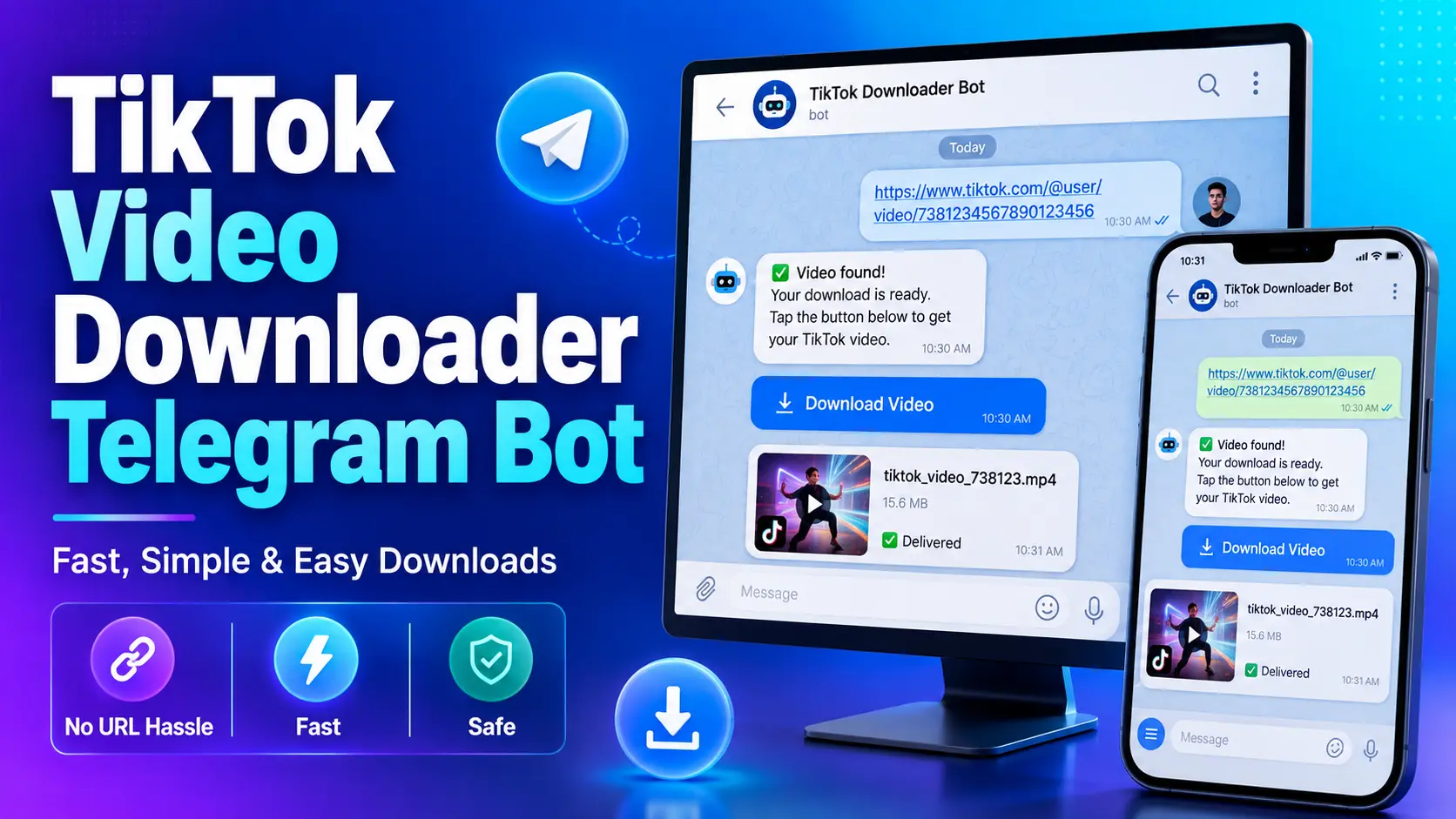
A Telegram bot is an automated account. You paste a TikTok link into the chat; the bot’s server fetches the video, strips the visible watermark where possible, and sends the file back as a Telegram video or document. Because the file travels through Telegram, downloads also work nicely on slow connections, and the video stays in your chat history and Telegram’s Saved Messages cloud.
How to Use a TikTok Downloader Bot (General Steps)
- Open Telegram and search for a TikTok downloader bot — pick one with a long history and many users, never one a random channel just started spamming.
- Tap Start. Ignore any demand to join channels or install apps before using it — the good bots do not require this, and it is a classic warning sign.
- Paste a public TikTok video link into the chat and send it.
- Wait a few seconds, then save the returned video to your gallery or files.
The Honest Downsides of Bots
- Privacy: every link you send is visible to the bot’s operator. Never send private or sensitive content.
- Reliability: bots break, get rate-limited, change names or disappear without warning.
- Ads and upsells: many free bots push premium tiers, channel joins or unrelated promotions between downloads.
- Quality control: some return compressed videos instead of the original HD file.
Bot vs Browser Downloader
Bots are unbeatable if Telegram is already open and you want the file inside your chats. A browser tool like SnapTTK wins on privacy (no third-party operator sees your links), on range — MP3, stories, slideshows, thumbnails and bulk profile downloads — and on quality, with the HD file straight from the source. Plenty of people use both: bots for quick saves, the browser tool for everything else.
Frequently Asked Questions
Free TikTok Tools on SnapTTK
Put this guide into practice with our free online tools — no app install and no sign-up needed: