
TikTok MP3 Downloader – Download TikTok Audio Online
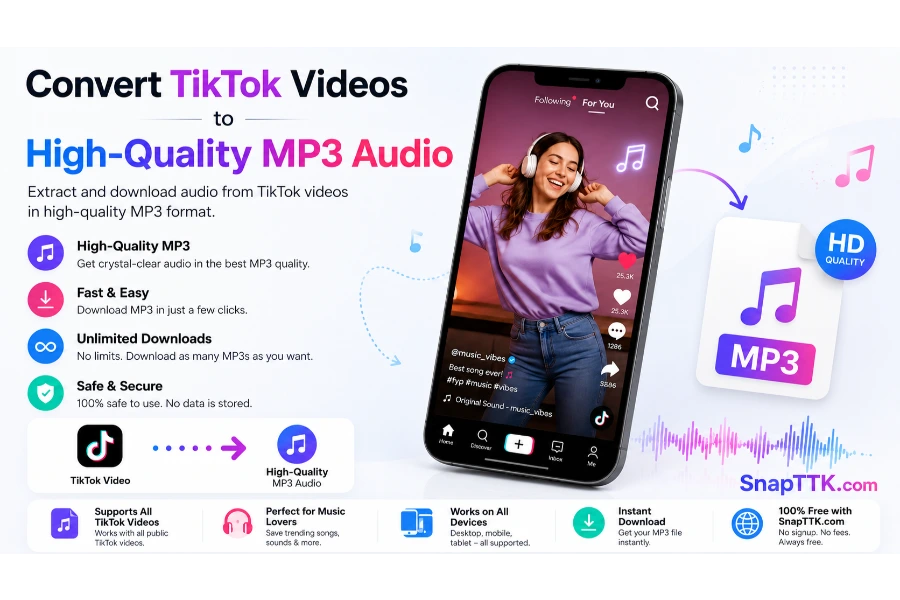
Convert TikTok Videos to High-Quality MP3 Audio in Seconds
Sometimes the video is not the part you want to keep. It may be a song, a short voiceover, a funny sound, an interview clip, or a useful piece of spoken advice. SnapTTK’s TikTok MP3 downloader helps you save that audio as a separate file without keeping the full video.
The process is simple. Copy the link to a public TikTok video, paste it into the download box, and select the available MP3 option. There is no need to record your screen or install a complicated audio app.
SnapTTK works in a modern browser, so you can use it on a phone, tablet, laptop, or desktop computer. The downloaded audio can be played offline, added to a personal archive, or used with permission in an editing project.
What Is a TikTok MP3 Downloader?
A TikTok MP3 downloader is an online tool that extracts the audio track from a public TikTok video and saves it as an MP3 file.
TikTok posts often combine several kinds of audio. A video may contain music, the creator’s voice, background sounds, sound effects, or a voiceover. When you convert the post to MP3, the audio is separated from the visual part of the video.
This is different from downloading an MP4. An MP4 usually contains both video and audio, while an MP3 contains audio only. That makes MP3 more practical when you do not need the picture.
People may search for a TikTok video downloader to audio because they want a quick way to listen rather than watch. SnapTTK keeps that task straightforward: paste the public link, process it, and save the available audio file
Why Download TikTok Audio Instead of Videos?
Millions of people search for ways to save TikTok audio every month. In many situations, downloading the audio is more practical than downloading the full video. Imagine discovering:
- A motivational speech
- A relaxing meditation sound
- A podcast clip
- A language learning lesson
- A business tip
- A funny voice-over
- A trending TikTok song
- An inspirational quote
Instead of downloading a large video file, you can simply save the audio and listen anytime—even without an internet connection. MP3 files also take significantly less storage space than videos, making them ideal for smartphones with limited memory.
What Is a TikTok MP3 Downloader?
A TikTok MP3 downloader is an online tool that extracts audio from publicly available TikTok videos and converts it into an MP3 file. Instead of saving the complete video, you keep only the sound, which is perfect for users who enjoy listening to music, speeches, podcasts, or educational content. With SnapTTK, the conversion process happens online. You don’t need professional software or technical knowledge. Everything works in just a few clicks.
Why Choose SnapTTK?
Thousands of MP3 converter websites exist, but many suffer from slow processing, intrusive advertisements, confusing navigation, or poor audio quality. SnapTTK is built differently. Our goal is to provide one of the simplest and fastest experiences for anyone looking to download TikTok audio.
Fast Conversion: Nobody likes waiting. SnapTTK processes public TikTok links quickly so you can convert videos into MP3 files in just a few moments.
High-Quality Audio: Audio quality matters. Whether you’re downloading music, podcasts, speeches, or educational recordings, SnapTTK aims to preserve the best available audio quality from the original TikTok video.
No Installation Required: Forget downloading additional software. Everything works directly from your browser. No extensions, No applications, and No complicated setup.
Works Everywhere: SnapTTK supports almost every modern device. Including Android phones, iPhones, iPads, Windows computers, MacBooks, Linux PCs, Chromebooks, and Tablets
If your device has a browser and internet connection, you’re ready to convert TikTok videos into MP3 files.
Completely Free: SnapTTK is available without subscription fees. There are no premium memberships required to convert publicly available TikTok videos into MP3 audio.
Features You’ll Love
SnapTTK offers everything users expect from a modern MP3 converter.
✔ TikTok MP3 downloader ✔ download TikTok MP3 music online ✔ TikTok video downloader with audio ✔ Browser-based conversion
✔ High-quality MP3 output ✔ Unlimited conversions ✔ Fast processing ✔ Mobile-friendly interface ✔ Desktop compatible ✔ No registration
✔ No software installation ✔ Secure HTTPS connection ✔ Simple one-click workflow
Who Is SnapTTK For?
SnapTTK is designed for anyone who enjoys listening to TikTok audio offline. Our users include:
Music Lovers: Save trending TikTok songs and enjoy them anytime.
Students: Download educational talks, language lessons, and learning resources.
Professionals: Keep business tips, marketing advice, and productivity content for future listening.
Content Creators: Save inspirational audio and creative references to organize ideas.
Podcast Listeners: Many TikTok creators share short podcast clips worth saving for later.
Fitness Enthusiasts: Download workout instructions, motivational speeches, and exercise guides to stay focused during training sessions.
Why Millions Prefer MP3 Files
MP3 remains one of the world’s most popular audio formats because it’s supported by almost every device. Advantages include:
- Smaller file size
- Easy sharing
- Better storage efficiency
- Compatible with smartphones
- Works on laptops
- Supported by smart TVs
- Plays in most music apps
- Great for offline listening
Whether you’re commuting, exercising, traveling, or studying, MP3 files make it easy to carry your favorite audio wherever you go.
What Can You Save?
People don’t just use SnapTTK for music. Some of the most popular downloads include:
- Trending TikTok songs
- Podcast clips
- Audiobooks
- Educational lessons
- Motivational speeches
- Language learning audio
- Business advice
- Comedy clips
- Meditation sounds
- Relaxing nature audio
- Cooking instructions
- Fitness coaching
- Storytelling content
- Interviews
- Inspirational talks
This flexibility makes SnapTTK useful for a wide range of users—not just music lovers.
Start Converting TikTok Videos to MP3 Today
If you’re looking for a fast, reliable, and beginner-friendly way to save TikTok audio, SnapTTK makes the process simple. Copy the TikTok video link, paste it into the converter, and download your MP3 file in just a few clicks. No apps, no registration, and no complicated setup—just an easy way to enjoy your favorite TikTok audio offline.
How to Download TikTok MP3 Music Online
Downloading MP3 audio from TikTok is easier than many people think. You don’t need technical skills, special software, or expensive applications. With SnapTTK, everything happens online in just a few simple steps.

Step 1: Open the TikTok Video
Open TikTok and find the public video you want to save.
Make sure you open the individual video rather than a profile, hashtag, sound, or search page.
Step 2: Copy the TikTok Video Link
On the TikTok mobile app or desktop browser: >>Tap the Share icon. >> Select Copy Link.
Step 3: Open SnipTTK Downloader
Visit https://SnapTTK.com Downloader in your browser. You will see a field where you can paste the TikTok video URL.
Step 4: Paste the Video Link
Paste the copied TikTok link into the input field. Check that the complete link appears correctly before continuing.
Step 5: Click the Download MP3 Button
Press the Download MP3 button. Extract the Audio
The website will process the link and prepare the available MP3.
Step 6: Open the MP3 in a New Browser Tab or Window
After clicking the download option, the mp3 audio may open and start playing in a new browser tab or window.
This is normal. The mp3 has opened in the browser’s built-in media player.
Step 7: Open the MP3 Menu
Move your cursor over the playing MP3.
Click the three-dot menu that appears in the bottom-right corner of the MP3 player.
Depending on your browser, the menu may also appear after you right-click the MP3.
Step 8: Select “Download”
Choose Download from the MP3 menu.
The browser will begin saving the MP3 Audio to your device.
Step 9: Find the Downloaded MP3
The downloaded file will normally be stored in your Downloads folder.
The entire process usually takes only a few seconds, depending on your internet speed.
Why Use a TikTok MP3 Downloader?
Many people don’t actually need the video—they only want the sound. A TikTok MP3 downloader lets you save only the audio, making it perfect for everyday listening. People use SnapTTK to download:
- Trending TikTok songs
- Motivational speeches
- Educational lessons
- Podcast clips
- Audiobooks
- Funny voice recordings
- Relaxing sounds
- Meditation audio
- Business tips
- Language learning lessons
Instead of storing large video files, MP3 downloads save space while giving you quick access to the content you enjoy most.
Download TikTok MP3 Music Online in High Quality
Nobody wants poor-quality audio. SnapTTK is designed to provide clear and high-quality sound whenever the original TikTok upload supports it. Whether you’re listening through:
- Earbuds
- Wireless headphones
- Bluetooth speakers
- Car audio systems
- Home theater speakers
…high-quality MP3 files create a much better listening experience. Our goal is to make download TikTok MP3 music online simple without sacrificing audio quality.
TikTok Video Downloader with Audio
Sometimes users want a downloader that gives them flexibility. SnapTTK can help users who want to save audio from public TikTok videos, making it useful when you’re interested in speeches, music, or educational content. If your focus is audio, our TikTok video downloader with audio experience is designed to make the conversion process smooth and beginner-friendly.
TikTok Video Downloader to Audio
Converting a TikTok video into audio is useful in many everyday situations.
Imagine you’re watching:
- A motivational speaker
- A business coach
- A language teacher
- A meditation instructor
- A storyteller
- A music creator
Instead of downloading the complete video, you can use our TikTok video downloader to audio feature to keep only the sound that matters to you.This also saves storage space on your device.
Free TikTok Video Downloader MP3
One of the biggest advantages of SnapTTK is accessibility.Our free TikTok video downloader MP3 tool is available online, so you don’t need to install software or purchase a subscription. Simply copy, paste, convert, and download. That’s all.
TikTok Video Downloader MP3 Online
Modern users expect convenience. That’s why SnapTTK works completely online. Our TikTok video downloader MP3 online solution allows you to convert audio from your browser without downloading applications. Whether you’re using:
- Android
- iPhone
- Windows
- Mac
- Linux
- Chromebook
…the process remains the same.
TikTok Video Downloader MP3 Free
Many users search for a TikTok video downloader MP3 free because they want a simple tool without unnecessary restrictions.
SnapTTK is built to provide an easy experience for downloading audio from public TikTok videos.
No complicated registration.
No software installation.
Just a clean, browser-based interface.
Download TikTok Music for Offline Listening
Listening offline has many advantages. You don’t have to worry about:
- Weak internet connections
- Mobile data usage
- Traveling without Wi-Fi
- Interruptions while exercising
- Buffering during playback
That’s why many people choose to download TikTok music and build their own offline collection.
TikTok Trending Music Download MP3s
TikTok is known for introducing new songs that quickly become global trends.
Many users look for ways to save these tracks so they can enjoy them later.
With SnapTTK, you can create your own collection of trending sounds from public TikTok videos and listen to them whenever you like.
Always make sure you respect copyright laws and the rights of creators and music owners when using downloaded audio.
Why Browser-Based MP3 Converters Are Better
Browser-based tools continue to grow in popularity because they are fast and easy to use.
No Installation: Everything works online.
Save Storage Space: You don’t need to install another app on your device.
Works Across Devices: Switch between your phone, laptop, or tablet without changing tools.
Always Updated: Because SnapTTK runs in your browser, you don’t need to install updates manually.
Beginner Friendly: Anyone can convert TikTok videos into MP3 files in just a few clicks.
No technical experience is required.
Security and Privacy When Using a TikTok MP3 Downloader
Whenever people search for a TikTok MP3 downloader, one of their biggest concerns is security. It’s completely normal to wonder whether an online converter is safe, whether your personal information is protected, and whether you need to log in to your TikTok account.
SnapTTK is designed to keep the process straightforward. You only need the URL of a public TikTok video. There is no need to enter your TikTok username, password, or other sensitive account details to convert a video into MP3.
For the safest experience, remember these simple tips:
- Always use the official SnapTTK website.
- Never enter your TikTok login credentials into any downloader.
- Download only public TikTok videos.
- Keep your web browser updated.
- Avoid websites with misleading download buttons or excessive pop-up ads.
Following these best practices helps create a safer and smoother experience.
Is It Legal to Download TikTok MP3 Music?
Many users ask whether downloading TikTok audio is legal.
The answer depends on how the downloaded audio is used.
Saving audio from publicly available TikTok videos for personal offline listening may be allowed in some situations. However, if you plan to redistribute, upload, sell, monetize, or use copyrighted music commercially, you should first obtain permission from the copyright owner and follow applicable copyright laws and TikTok’s Terms of Service.
SnapTTK is intended to help users access publicly available content. Every user is responsible for ensuring their use of downloaded audio complies with local laws and platform policies.
Audio Quality Matters
Nobody enjoys distorted or low-quality audio.
When using a TikTok video downloader to audio converter, the final quality largely depends on the original TikTok upload. If the source video contains clear, high-quality audio, the converted MP3 will generally provide a better listening experience.
For the best results:
- Choose videos with clear original sound.
- Use a stable internet connection.
- Avoid converting the same file multiple times.
- Save the audio in its original quality whenever possible.
Whether you’re listening with headphones, Bluetooth speakers, or your car’s audio system, better source quality leads to better playback.
Common Problems and How to Fix Them
Even though downloading TikTok audio is usually straightforward, users occasionally encounter small issues. Here are some common problems and practical solutions.
The TikTok Link Doesn’t Work
Sometimes the copied link may be incomplete or incorrect.
Solution:
- Open TikTok again.
- Tap Share.
- Select Copy Link.
- Paste the new URL into SnapTTK.
The Video Is Private
Online tools can generally process only publicly available videos.
If the creator has made the video private or restricted access, the converter may not be able to retrieve it.
Conversion Takes Longer Than Expected
This can happen if:
- Your internet connection is slow.
- The TikTok server is temporarily busy.
- The video is unusually large.
Refreshing the page and trying again after a few moments often resolves the issue.
Download Doesn’t Start
If the download button doesn’t respond:
- Refresh your browser.
- Clear your browser cache if necessary.
- Try another supported browser.
- Ensure your internet connection is stable.
Devices Supported by SnapTTK
One of the biggest advantages of SnapTTK is cross-platform compatibility. Whether you’re using a smartphone or desktop computer, the conversion process remains simple.
Android: SnapTTK works smoothly on most Android devices using Chrome, Firefox, Edge, Opera, or other modern browsers.
iPhone & iPad: iOS users can convert TikTok videos into MP3 files directly through Safari or any supported browser without installing an application.
Windows PC: Windows users can enjoy fast MP3 conversions through Chrome, Microsoft Edge, Firefox, Opera, and Brave.
Mac: MacBook and iMac users can use Safari, Chrome, or Firefox to convert public TikTok videos into MP3 files.
Linux: SnapTTK also works on Linux systems through compatible browsers.
Chromebook: Chromebook users only need an internet connection and a browser to start converting TikTok videos into MP3 audio.
Why Users Prefer Online MP3 Converters
Browser-based tools continue to grow because they’re convenient. Some of the biggest advantages include:
No Software Installation: Everything happens online. You don’t need to download applications or browser extensions.
Saves Device Storage: Applications consume storage space. Online tools don’t.
Always Accessible: Whether you’re at home, work, school, or traveling, you can access SnapTTK from almost any internet-connected device.
Easy for Beginners: Even first-time users can convert a TikTok video into MP3 within minutes.
Why Choose SnapTTK Over Other MP3 Converters?
Many websites promise fast conversions, but users often encounter cluttered interfaces, slow loading times, or confusing download buttons. SnapTTK focuses on delivering a cleaner experience with features users actually care about.
User-Friendly Design: The interface is designed to be simple, helping users complete the process without unnecessary steps.
Browser-Based Convenience: No installation, no updates, and no compatibility issues caused by outdated applications.
Wide Device Support: Whether you’re on Android, iPhone, Windows, Mac, Linux, or Chromebook, SnapTTK provides a consistent experience.
High-Quality Audio: Our goal is to preserve the best available audio quality from the original public TikTok video whenever possible.
Fast Processing: Convert public TikTok videos into MP3 files within seconds.
Best Ways to Use Downloaded TikTok MP3 Files
People use downloaded audio in many practical ways. Some popular examples include:
- Listening during workouts.
- Studying language lessons offline.
- Saving motivational speeches.
- Building personal music playlists.
- Enjoying podcasts while traveling.
- Keeping meditation sessions for daily practice.
- Revisiting educational lectures without internet access.
- Listening to cooking instructions while preparing meals.
Always make sure your use of downloaded audio respects copyright laws and the rights of creators.
Why More People Download TikTok Music
TikTok has become one of the world’s largest sources of music discovery. Many songs become globally popular after trending on TikTok, and users often want to listen to these tracks without opening the app each time. Using download TikTok music tools responsibly allows users to enjoy their favorite sounds offline while staying organized with personal playlists.
Frequently Asked Questions About TikTok MP3 Downloader
What is the best TikTok MP3 downloader?
A good TikTok MP3 downloader should be fast, easy to use, browser-based, and compatible with multiple devices. It should allow you to convert public TikTok videos into MP3 without requiring software installation or account registration. SnapTTK is designed with these goals in mind, offering a simple experience for users who want to save TikTok audio for offline listening.
Can I download TikTok MP3 music online without installing an app?
Yes. SnapTTK lets you download TikTok MP3 music online directly through your browser. There is no need to install an application, browser extension, or additional software. Simply copy the TikTok video URL, paste it into the converter, and download the MP3.
Is there a TikTok video downloader MP3 free?
Yes. SnapTTK provides a TikTok video downloader MP3 free experience for public TikTok videos. You can convert audio without creating an account or paying subscription fees.
Can I use a TikTok video downloader convert to MP3 on my phone?
Absolutely. Our TikTok video downloader to convert to MP3 works on: Android, iPhone, iPad, and Tablets. As long as your device has a modern browser, you can convert TikTok videos into MP3 files.
Does SnapTTK work as a TikTok video downloader MP3 online?
Yes. SnapTTK is completely browser-based, making it a reliable TikTok video downloader MP3 online for users who prefer not to install extra software.
Can I use a free TikTok video downloader MP3 every day?
Yes.SnapTTK is available whenever you need to convert publicly available TikTok videos into MP3 files, subject to the website’s usage policies.
Can I download TikTok music in high quality?
When the original TikTok upload contains high-quality audio, SnapTTK aims to preserve the best available sound quality during conversion.
Does SnapTTK support TikTok video downloader with audio?
Yes. If you’re looking for a TikTok video downloader with audio, SnapTTK is designed to extract audio from public TikTok videos and save it in MP3 format.
Can I use TikTok video downloader to download audio without registering?
Yes. SnapTTK does not require account creation for converting public TikTok videos into MP3 files.
Can I download TikTok MP3 music for free?
Yes. Users can download TikTok MP3 music for free from publicly available TikTok videos without installing software.
MP3 vs MP4 – Which One Should You Choose?
Sometimes users aren’t sure whether they should save a TikTok video as MP3 or MP4.
| Audio Only | ✅ Yes | ❌ No |
| Video Included | ❌ No | ✅ Yes |
| Smaller File Size | ✅ Yes | ❌ Larger |
| Perfect for Music | ✅ Yes | ❌ Not Ideal |
| Podcasts & Speeches | ✅ Yes | ❌ Video Included |
| Offline Listening | ✅ Excellent | ✅ Good |
If you only need the sound, MP3 is usually the better choice because it uses less storage and is easier to organize in music apps.
Tips for Better MP3 Quality
To enjoy the best listening experience, follow these recommendations:
- Choose TikTok videos with clear original audio.
- Use a stable internet connection during conversion.
- Download the audio only once to avoid unnecessary quality loss.
- Listen using quality headphones or speakers.
- Keep your browser updated for the best compatibility.
- Save important audio files in an organized folder.
Who Can Benefit From a TikTok MP3 Downloader?
A TikTok MP3 downloader isn’t only useful for music lovers. Many different types of users rely on MP3 downloads every day.
Students: Save educational lectures, language lessons, and study tips for offline learning.
Travelers: Listen to your favorite audio during flights, road trips, or train journeys without relying on mobile data.
Fitness Enthusiasts: Keep workout instructions and motivational speeches available during exercise sessions.
Professionals: Store business advice, productivity tips, and marketing insights shared by creators.
Music Fans: Create personal playlists of trending TikTok songs and sounds for offline listening.
Why SnapTTK Continues to Grow?
People want tools that are fast, simple, and reliable. Instead of asking users to install software or complete long registration forms, SnapTTK focuses on a straightforward process.
- Copy the TikTok link.
- Paste it into the converter.
- Convert the video to MP3.
- Download the audio.
This simple workflow makes it easy for beginners and experienced users alike.
Final Thoughts
Whether you’re looking to save trending songs, motivational speeches, podcasts, educational lessons, or relaxing sounds, SnapTTK provides a quick and user-friendly way to convert public TikTok videos into MP3.
With support for Android, iPhone, Windows, Mac, Linux, tablets, and Chromebooks, you can enjoy your favorite TikTok audio almost anywhere. There is no software to install, no account to create, and no complicated setup.
If you’re searching for a reliable TikTok MP3 downloader, a convenient way to download TikTok MP3 music online, or a simple TikTok video downloader convert to MP3, SnapTTK is designed to make the process smooth and accessible.
Remember to respect copyright laws, follow TikTok’s Terms of Service, and use downloaded audio responsibly.