
TikTok Bulk Video Downloader – Download Profile Videos in One Batch
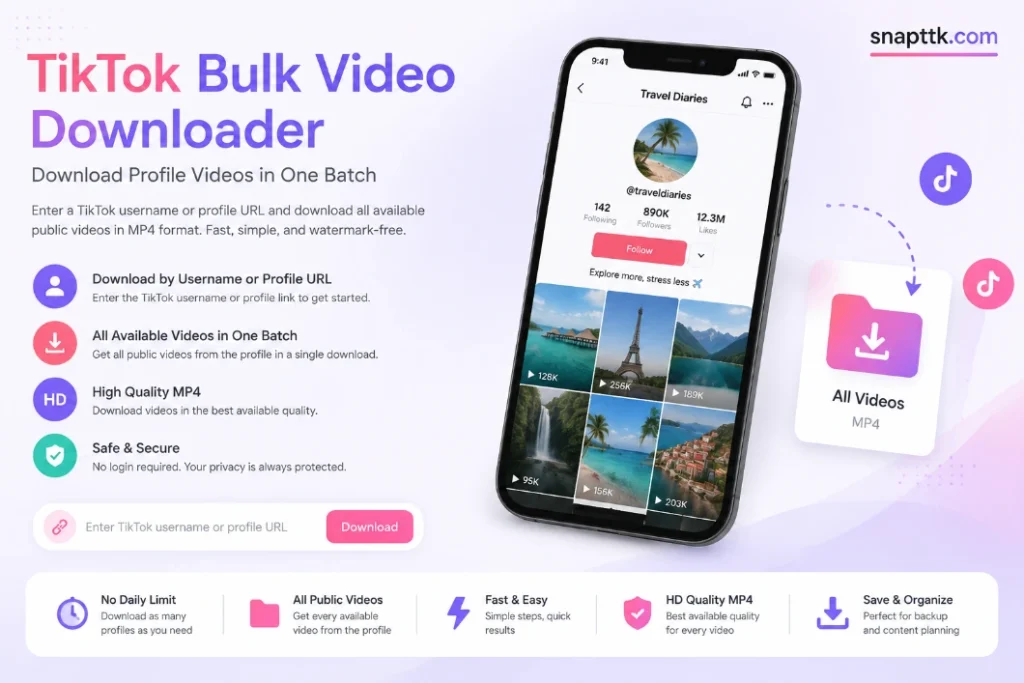
SnapTTK’s TikTok bulk video downloader lets you enter a public TikTok username or profile URL and save the available profile videos as MP4 files. It removes the need to open every post and copy each video link separately.
Downloading one TikTok video is simple. Downloading dozens or hundreds from the same account can take hours when every post must be opened and saved individually.
SnapTTK provides a more convenient option. Enter the username or paste the profile link, allow the tool to find the available public videos, and start downloading the MP4 files.
What Is a TikTok Bulk Video Downloader?
A TikTok bulk video downloader is an online tool that processes multiple public videos from the same TikTok profile.
A normal TikTok downloader requires the URL of one individual post. A profile-based bulk downloader starts with the account username or profile link instead.
The tool checks the public profile, finds the videos currently available for processing, and prepares them as downloadable files.
This is useful when you want to:
The biggest advantage is convenience. You enter the account information once instead of repeating the same steps for every post.
How to Download TikTok Profile Videos in Bulk
SnapTTK uses a username-based workflow. You do not need to collect a separate link for every video.
Step 1: Open the TikTok Profile
Open TikTok and visit the account containing the videos you want to download.
Confirm that you have opened the correct profile. Different accounts can have similar usernames, names, and profile pictures.
Step 2: Copy the Username or Profile Link
You can use either the account’s username or its public profile URL.
The username is the unique name shown after the @ symbol. It is different from the larger display name shown on the profile.
A profile link normally follows this format:
To copy it:
On a desktop computer, you can also copy the complete profile address from the browser bar.
Step 3: Open SnapTTK.com
Open the https://snapttk.com/ bulk downloader in a modern browser.
You will see an input field for the TikTok username or profile address.
Step 4: Enter the Profile Information
Paste the profile link or type the exact username into the field.
Check the spelling carefully. TikTok usernames can include letters, numbers, underscores, and periods.
A small spelling mistake may load the wrong account or return no results.
Step 5: Find the Public Videos
Press the button to process the profile.
SnapTTK will check the account and retrieve the videos that are publicly available and supported by the tool.
Large profiles may take longer to load than accounts containing only a few posts. Keep the page open while the profile is being processed.
Step 6: Check the Results
Before starting the download, confirm that the correct username and profile have loaded.
Review the available videos when the interface provides a preview. Some videos may not appear if they are private, deleted, restricted, unsupported, or currently unavailable.
Step 7: Download the MP4 Videos
Use the available bulk-download control to begin saving the videos.
SnapTTK prepares the supported videos as MP4 files. Keep the browser open until processing and downloading have finished.
Your browser may ask for permission to download multiple files. Only approve the request after confirming that you are using the correct SnapTTK website.
TikTok Video Downloader by Username
A TikTok video downloader by username is useful when you want content from one specific public account. Instead of opening each post and collecting individual URLs, you begin with the profile itself. This can save considerable time when the account contains a large video library.
For example, a creator with 200 public videos would otherwise need to open and copy 200 separate links. A profile-based downloader starts with the username and retrieves the available posts from that account.
This workflow is particularly helpful for:
For large creator libraries, bulk tools are generally more practical than saving each post manually. A tested 2025 guide from The Verge similarly noted that downloading hundreds of TikTok posts individually becomes a substantial task and that bulk jobs can take time.
What Does “Download All Videos” Mean?
On a bulk downloader, “all videos” should be understood as:
All supported public videos that SnapTTK can retrieve from the selected profile at that time.
It does not necessarily include every item visible or previously published by the account.
The following content may not be included:
TikTok lets account owners control the visibility of their posts and whether video downloads are allowed through TikTok. Private accounts have stricter download restrictions.
SnapTTK should describe its output as available public profile videos rather than guaranteeing access to every post ever uploaded.
Bulk TikTok Video Downloader Without Watermark
SnapTTK is designed to save supported videos without the moving TikTok logo and username overlay.
Watermark-free MP4 files are useful when you are:
Removing the visible watermark does not remove the creator’s ownership. It also does not give someone permission to republish, sell, or claim another person’s work.
Only reuse content you created or have permission to use.
MP4 Downloads in the Best Available Quality
SnapTTK provides supported videos as MP4 files.
MP4 is widely compatible with mobile devices, computers, media players, cloud storage services, and video-editing applications.
The quality of each downloaded video depends on the version available from the source. One profile may contain videos in different resolutions because the creator may have uploaded them using different devices, settings, or source files.
SnapTTK should therefore promise:
The best available quality for each supported video.
It should not promise that every profile video will be available in Full HD or 4K.
A downloader cannot recreate genuine detail that is missing from the source video.
No Fixed Daily Download Limit
SnapTTK does not impose a fixed daily limit on profile downloads.
However, a profile containing hundreds or thousands of videos will naturally require more time, storage, and bandwidth than a smaller account.
The practical result can depend on:
“No fixed daily limit” does not mean every account will download instantly.
For a large profile, use a stable internet connection, keep the device connected to power, and confirm that sufficient storage is available.
How Much Storage Will You Need?
The storage requirement varies because TikTok videos differ in duration, resolution, and file size.
Before downloading a large profile:
A desktop or laptop is generally more convenient than a phone when downloading a large creator library.
Why Bulk Downloads Sometimes Fail (and How to Fix It)
This is the part most TikTok downloader guides skip — but it’s usually the first question people have once they actually try batch downloading:
If a batch fails partway through, well-designed tools will show you exactly which videos succeeded and which didn’t, rather than forcing you to restart the entire batch from scratch.
Quality and File Organization Tips
Bulk downloading many videos at once creates two problems most people don’t think about until it’s too late:
- Re-encoding quality loss: some bulk tools re-compress every video in the batch to speed up processing, which can noticeably reduce quality. If original resolution matters, look for a tool that explicitly states it preserves source quality rather than auto-compressing.
- File naming chaos: dozens of videos named “video1.mp4, video2.mp4…” are hard to sort later. Tools that label each file with the creator’s username and video ID (rather than a random number) save significant time if you’re managing content for multiple accounts or clients.
Is a TikTok Bulk Downloader Safe and Legal to Use?
Safety: A trustworthy bulk downloader never asks for your TikTok password or login — it only needs public video links or a public username. Avoid any tool that requests your TikTok credentials or asks you to install a browser extension with broad account permissions beyond downloading.
Privacy: Reputable tools process your requested links temporarily and don’t store the downloaded videos on their own servers after your session ends.
Legality: Bulk downloaders — like single-video downloaders — only access content that’s already public. That said, downloading a video doesn’t transfer ownership of it. The creator retains copyright, so bulk-downloaded videos should be used for personal archiving, internal review, or with proper permission/credit — not republished as your own without the creator’s consent. If you’re downloading at scale for commercial use (agency, brand, or automated pipeline), it’s worth confirming your use case against TikTok’s Terms of Service or consulting your legal/compliance team, since bulk and automated access is treated differently than a single personal download.
Is SnapTTK Safe to Use?
A public-profile downloader does not need your TikTok password.
SnapTTK should only require:
It should not require:
Only publish claims about file storage, logging, tracking, or automatic deletion when they accurately match SnapTTK’s backend and Privacy Policy.
Why Is the TikTok Username Not Working?
A profile may fail to load for several reasons.
The Username Is Misspelled
Check every letter, number, period, and underscore.
The profile display name is not always the same as the account username.
The Creator Changed Their Username
An old profile link may stop working after the account owner changes their username.
Open the current profile in TikTok and copy the updated link.
The Account Is Private
SnapTTK is intended for public profiles. It should not bypass private-account settings.
The Account Was Removed
A deleted, suspended, or unavailable account may not return any results.
The Link Is Not a Profile Link
Make sure the URL points to the account profile rather than an individual video, hashtag, search page, sound page, or TikTok homepage.
TikTok Is Temporarily Unavailable
Wait and try processing the profile again later.
Why Are Some Profile Videos Missing?
The number of downloaded videos may be lower than the number displayed on the TikTok profile.
Possible reasons include:
Try loading the profile again. If the same posts remain unavailable, they may need to be downloaded individually or may not be publicly accessible.
What Should You Do if the Download Stops?
A large profile download can be interrupted by:
Keep the browser open until processing is complete.
When only part of the profile downloads successfully, check which files have already been saved before trying again. This helps prevent unnecessary duplicate downloads.
Responsible Use of Bulk Downloads
A publicly visible video is still protected by the creator’s rights.
Good uses of SnapTTK include:
Do not use it to:
For agency, brand, or commercial projects, maintain written permission and review the applicable platform rules.
Who Actually Uses Bulk TikTok Downloaders
In practice, three groups make up most bulk downloader use:
- Social media managers downloading a client or brand account’s full video history for backup or repurposing.
- Content creators archiving their own saved or liked videos before switching platforms or clearing storage.
- Researchers and marketers collecting a sample of public videos from a niche or hashtag for trend analysis.
Frequently Asked Questions
Can I bulk download videos from a private TikTok account? No. Bulk downloaders — regardless of the tool — can only access public videos. Private accounts are never accessible outside the TikTok app itself.
Is there a limit to how many videos I can download at once? Most tools cap multi-link batches at around 10–20 videos per request to avoid rate limiting, though username-based downloads can pull an entire public profile in stages.
Will bulk downloaded videos have a watermark? No — most bulk downloaders strip the TikTok logo and username watermark by default, the same as single-video downloaders, though some let you choose to keep it.
Why did only some videos in my batch download successfully? This usually happens because of rate limits, an unstable connection, or because some links in the batch were private, deleted, or region-restricted. Reliable tools will flag exactly which ones failed instead of failing the whole batch.
Can I download both video and audio in the same bulk request? Some tools support this, but running video and audio as separate batch requests is more reliable and avoids mismatched or failed downloads.
Do I need to log in to my TikTok account to use a bulk downloader? No. Legitimate bulk downloaders only need the video links or a public username — never your TikTok login credentials.
Download TikTok Profile Videos With SnapTTK
Stop opening and saving profile videos one at a time.
Enter a public TikTok username or profile URL into SnapTTK, retrieve the supported public videos, and download the available MP4 files in one batch.
SnapTTK gives creators, editors, agencies, and authorised users a simpler way to organise and preserve TikTok profile content—without copying every individual video link.